

Cricket Betting in the 1xBet Android App
The most common mistake with cricket betting on a phone is trusting a headline without checking what the bet slip actually shows. The 1xBet app puts the odds, the stake box and the final payout in front of you, but only if you build the bet correctly. Rushing through the menus is where small errors turn into real ones.
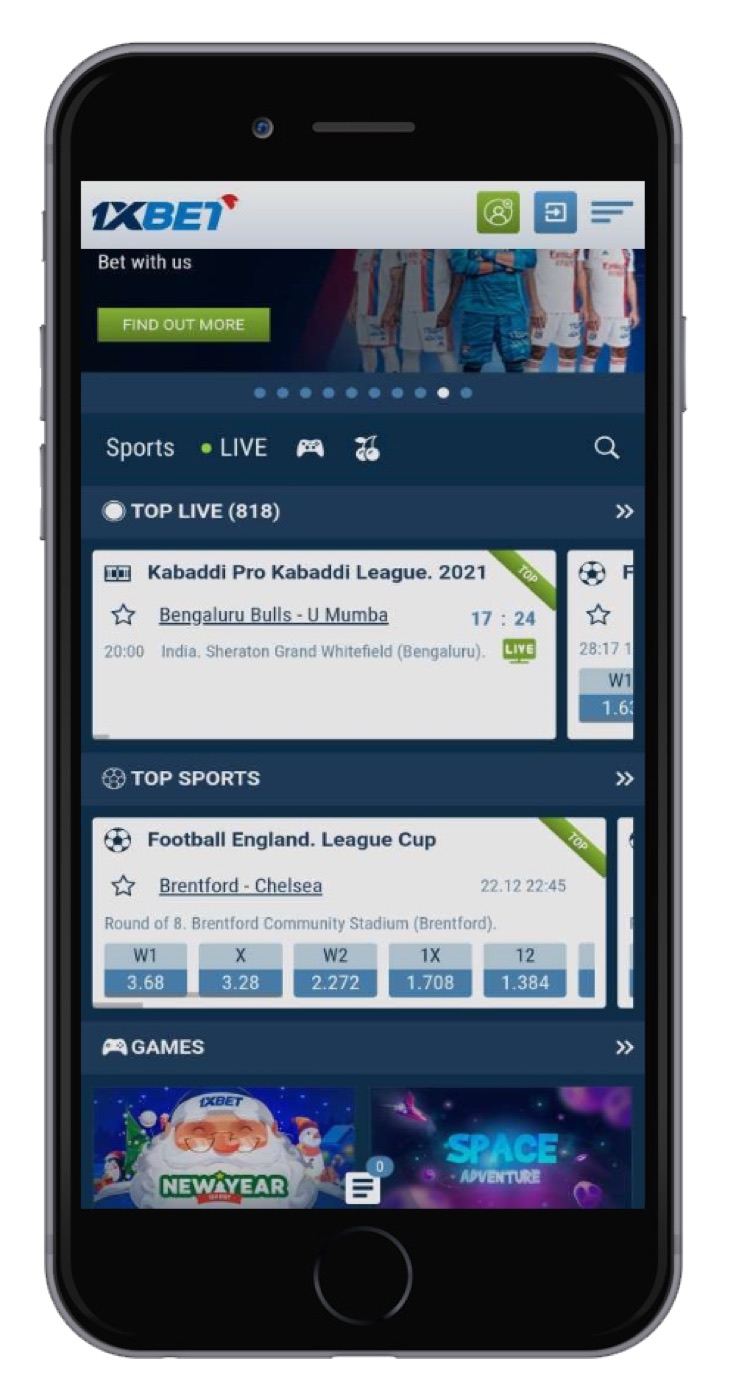
Cricket sits near the top of the sports list in the 1xBet Android application. You can reach it from the main menu, then choose between pre-match events and the live section. Both paths open the same match page, so the layout stays familiar once you have used it a few times.
How to reach cricket in the 1xBet app
Start from the home screen of the 1xBet Android application. The sports menu sits on the left or in the bottom bar, depending on your screen size. Cricket is usually one of the first entries, marked with a bat-and-ball icon.
Tap the cricket icon and the app loads a list of competitions. You can narrow the list with the filter bar at the top. A small clock icon next to a league tells you which events are about to start soon.
- Open the 1xBet app and tap the sports menu.
- Choose cricket from the list of sports.
- Switch between pre-match and live tabs at the top of the page.
- Tap a league name to fold or unfold its matches.
- Tap a match row to open the full market list.
Finding the right match and market
The match page in the 1xBet app shows the two teams at the top with the current score if the game is live. Below that, markets are grouped into tabs such as main, innings, extras and player specials. Tapping a tab reorders the list so the markets you care about rise to the top.
Each row shows two or three odds. The middle price is usually the draw or the tie in a limited-overs match. A small arrow at the right edge of a row opens a deeper panel with additional markets. That panel is where you find things like the method of the next wicket or over-by-over totals.

Building the bet slip step by step
Tap an odd once and the selection drops into the bet slip at the bottom of the screen. The slip shows your chosen price, the event name and a stake box. You can edit the stake directly in that box, and the potential payout updates immediately.
If you add a second selection, the slip offers two tabs: single and accumulator. The accumulator tab combines both odds into one combined price. The payout line at the bottom of the slip recalculates as soon as you change either stake. Before confirming, check the event status, because a live odd can shift in the seconds between opening the slip and pressing confirm.
If betting starts to feel harder than it should, a GamCare support line is available for anyone who wants to talk through their habits. Keeping the habit under control makes the 1xBet app easier to use for the matches you actually care about.
- Single tab: one selection, one stake, one payout line.
- Accumulator tab: two or more selections combined into one price.
- Stake box: type any amount and watch the payout line move.
- Confirm button: locks the bet and sends a receipt to your bet history.
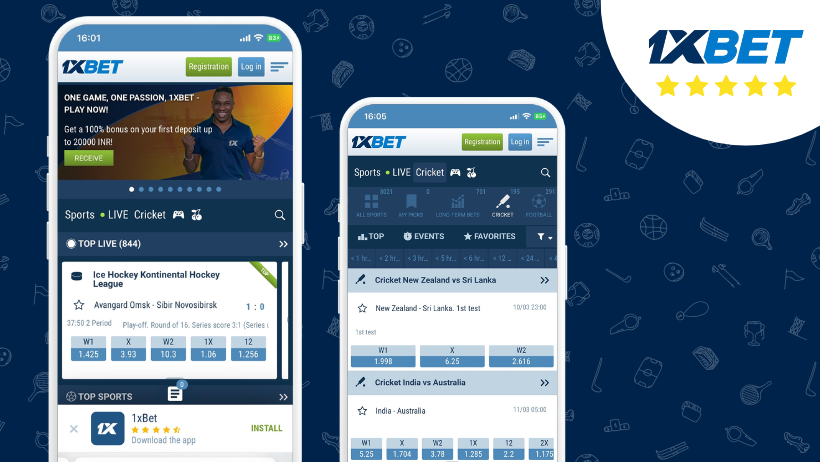
Building an accumulator on cricket markets
Cricket markets in 1xBet tend to run deep, and stacking them is where the app rewards a careful hand. You start on the match page, tap a selection, and it lands in the bet slip tray at the bottom. From there you keep browsing and adding, and the slip counts each line as you go.
Every line you add carries its own odds, and the slip recalculates the combined figure instantly. Before you confirm, check that each leg still shows the price you expect, since live cricket odds can shift mid-ball.
- Open the bet slip tray to review all legs and their individual odds.
- Tap the minus icon to remove any leg that no longer looks right.
- Watch the combined odds update whenever you add or drop a selection.
- Enter your stake and confirm once every leg reads correctly.
Live cricket and how the match page behaves
The live cricket screen in 1xBet is a moving target, and that is the point. The scoreboard updates as the over progresses, and market prices tick with every delivery. You need to read quickly before you commit, because a wicket can swing a price in a single tap. The bet slip sits ready, but a delayed confirmation can mean the market suspends while you are typing a stake.
Cash out is the safety valve here, and it appears on the slip when the operator offers it for that market. The figure you see reflects the current state of play, not the price you locked in. If the app shows the cash out option, you can take it without leaving the match page.

Settings, notifications and account checks that affect your bets
Cricket bets are only as reliable as the account behind them, and 1xBet puts the controls in the settings menu. Verification, notification preferences and payment methods all live there, and each one can change how quickly a bet goes through.
- Open the menu, then tap settings, and locate the verification section to confirm your documents are accepted.
- Check the notification toggle so cricket match reminders reach your phone before the toss.
- Review your saved payment method to make sure a deposit will clear before a live market closes.
- Adjust the odds format to decimal or fractional, whichever you read faster during a tight over.
These checks take a couple of minutes, and they prevent a bad surprise mid-match. Getting the application set up beforehand is easier when you follow the 1xbet app for android installation steps. The settings menu is the same once the package installer finishes. A user who verifies early never watches a suspended market while their documents sit pending.
Numbers worth knowing for cricket betting in the app
The figures below describe what you can observe on screen while placing cricket bets in 1xBet. They are ordinary ranges, not guarantees, and live markets can behave differently from pre-match ones.
| Item | Typical figure |
|---|---|
| Selections in one accumulator | Up to the limit shown on the slip |
| Time for odds to refresh | A few seconds between deliveries |
| Cash out availability | Present on select live markets |
| Notification delivery | Seconds after you enable the toggle |
These ranges come from watching the 1xBet interface behave over ordinary cricket days, not from any published table. Treat them as working expectations while you learn the application, and let the slip tell you the real numbers as you go.
Can I build a cricket accumulator in the 1xBet app?
Yes. You add selections from any match page, and the slip combines them into one accumulator automatically.
Do live cricket odds move while I am typing a stake?
They can. The application updates prices continuously, so a delayed confirmation may show different odds than the ones you saw.
Where do I turn on cricket match notifications?
Open the menu, go to settings, and use the notification toggle to allow match reminders on your phone.